Maintenance, the part other apps forget.
Keeping the weight off after treatment is a phase of its own, and TirzeFlow has a screen for it. You set your exit weight and a band around it; the app counts how many weeks you stayed inside the band, draws that band on the chart and shows when the trend of the last few weeks starts to leave it.


A band, not a number.
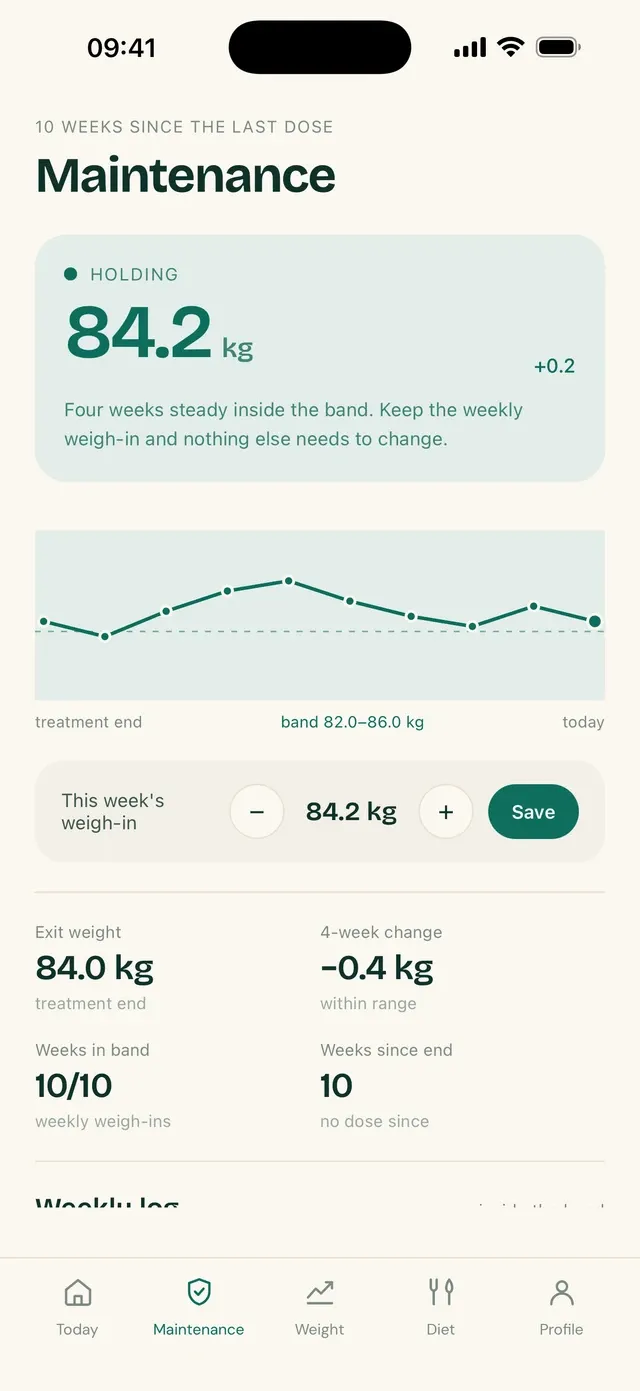
Nobody weighs exactly the same every day. That is why maintenance in TirzeFlow is a band: your exit weight in the middle and a margin above and below it. Being inside it is what counts.
On the chart, the band appears as a strip behind the weight line. You can see at a glance whether the last few weeks stayed inside, touched the edge or went past it, without reading a table.
At the top of the screen, a card sums up where you stand in one line: inside the band, above it or below it. Dropping below the band shows up too — maintenance means holding steady, not continuing to lose — and the app treats that as something to bring up at your appointment, with no alarm.
The app shows the trend while it is still small.
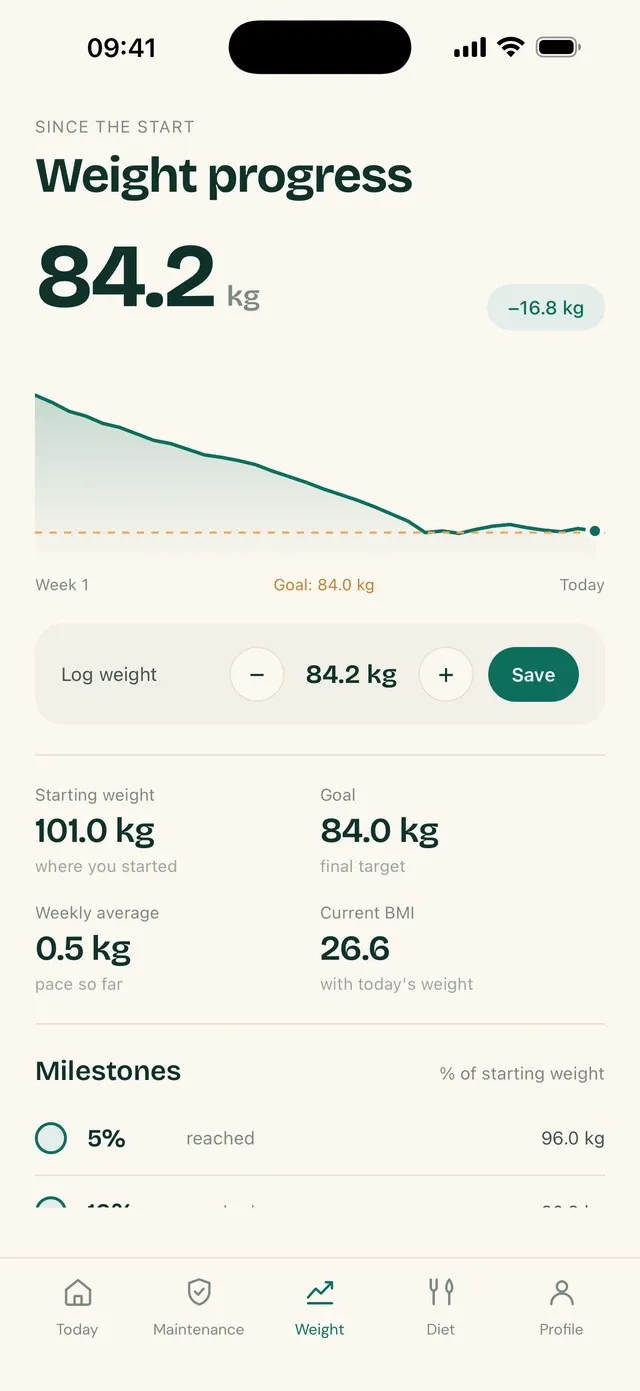
The screen counts how many weeks in a row you stayed inside the band and shows the change over the last four. When the trend is upward, the app says so in one plain sentence, with the number: how much it went up and over how long.
It does not tell you what to do. TirzeFlow describes what your entries show; what to do about it, including whether or not to go back on the medication, is a conversation with your doctor. What the app offers is the data, organized for that conversation.
Below the chart, a history lists every week with its weight and whether it fell inside or outside the band. Reading a trend takes a few weekly weigh-ins; until they exist, the screen tells you how many there are instead of drawing a conclusion from a single point.
The phase changes in your Profile, and the tab bar follows.
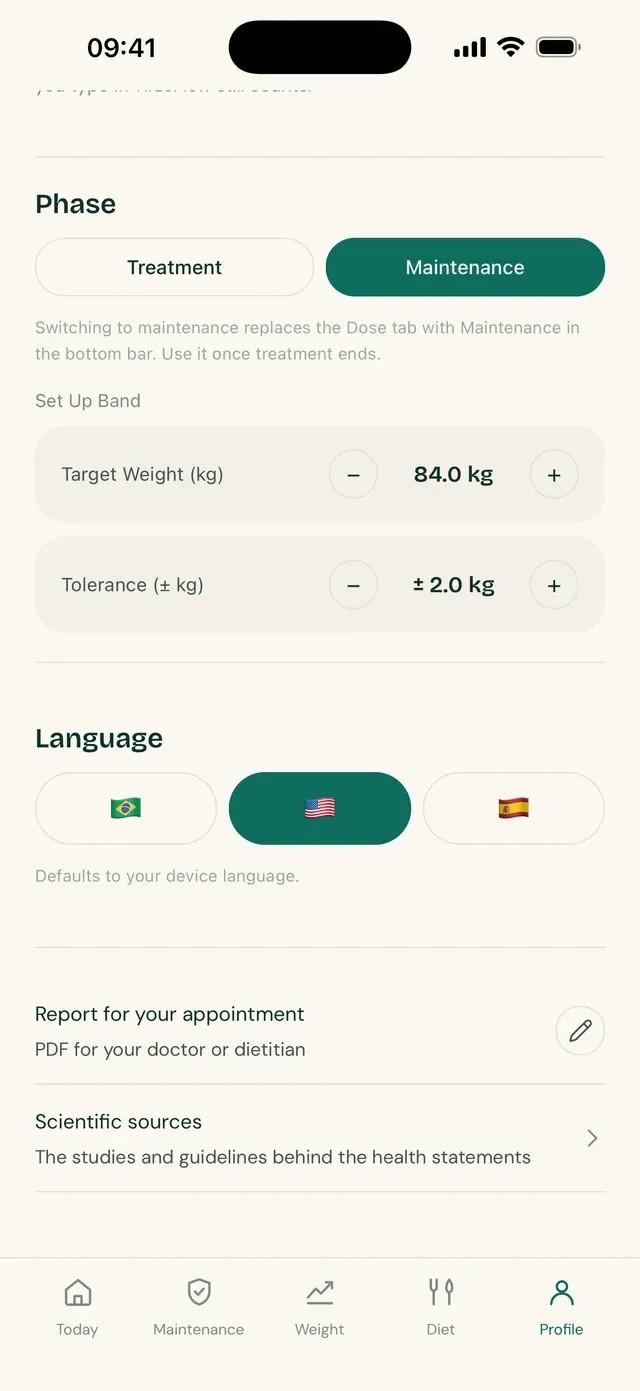
Treatment and maintenance do not happen at the same time, and the app treats the two phases that way. You choose the phase in your Profile. In maintenance, the Dose tab leaves the bottom bar and the Maintenance tab takes its place.
Your treatment history stays where it is. Weight, measurements, photos and side effects remain available, and the PDF report can cover the whole treatment, to show where you started.
Frequently asked questions
Can I keep using TirzeFlow after I stop tirzepatide?
Yes. The maintenance phase exists for that. You set your exit weight and a band, and the app tracks your weigh-ins against it for as long as you like.
How do I set my maintenance band?
When you enter maintenance, you give your exit weight and the tolerance around it, in kilograms. The band is the range between the exit weight minus the tolerance and the exit weight plus the tolerance.
Does the app tell me if I am regaining weight?
It shows it. When the last few weeks point upward, the screen says how much your weight went up and over how long. The app does not recommend any course of action based on that.
Do I lose my treatment history when I change phase?
No. Switching to maintenance only swaps a tab in the bottom bar. Injections, weigh-ins, measurements, photos and side effects stay stored and go into the report.
Can I go back to the treatment phase?
Yes. The phase is a choice in your Profile and can be switched back. The Dose tab returns, with the injection history you already had.
See also
Updated on
Start your diary today.
Free, with no ads, in English, Portuguese and Spanish.